Every decision in one inbox, every change on record
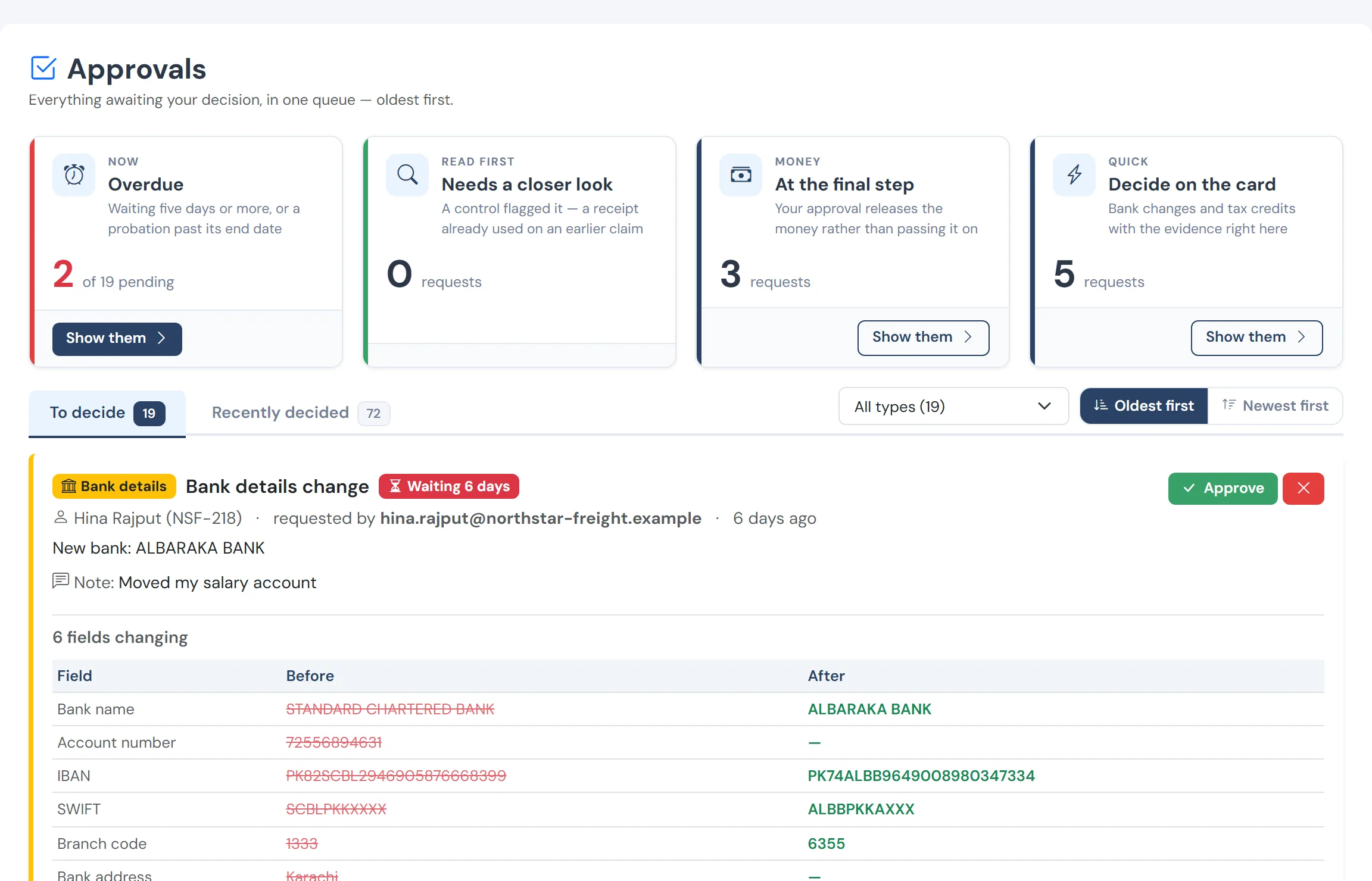
Bank-detail changes, loans, claims, tax adjustments, probation confirmations and reporting-line changes all land in one approvals inbox, routed by permission, with what changed shown before you decide. Everything is written to an append-only activity stream.
In every plan
The problems it removes
- Approvals scattered across email and chat
- Decisions with no record of what was seen
- Nobody able to say who changed a figure
- Access that is all-or-nothing
Every change on record
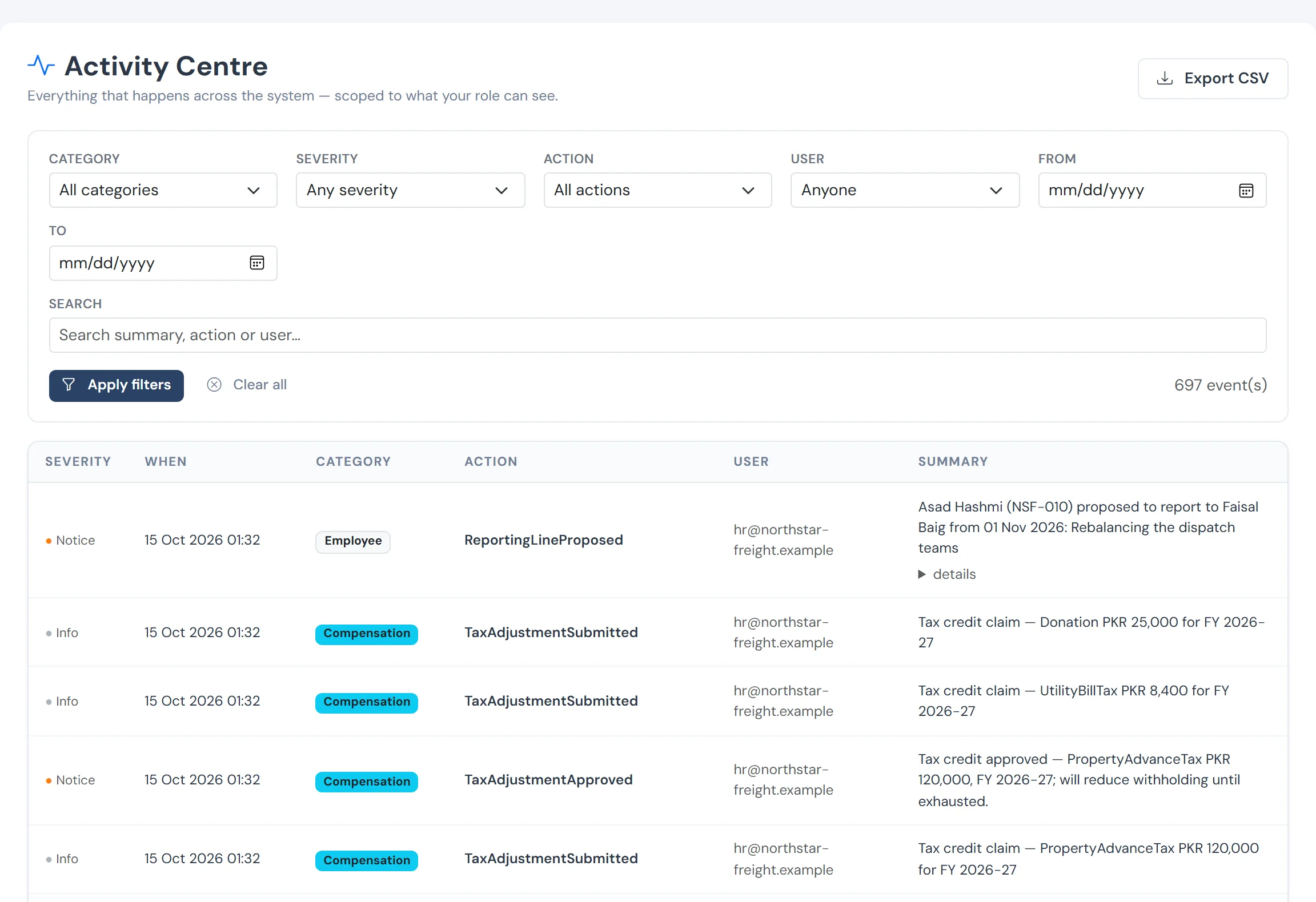
Who changed what and when, across pay, people and settings, with the value before and after.
How it works
One inbox
Each request carries what the approver needs: the attachment, the entitlement, the eligibility. A decision is one click.
Routed by permission
Requests go to people who hold the right permission, and each role sees only what it is allowed to.
An activity stream
Edits, approvals, payroll runs and settlements are recorded with before and after values, searchable and exportable.
What you get
- Approvals for bank details, loans, claims, tax adjustments, probation and reporting lines
- Before and after on every change
- Permission-scoped views, so a summary never leaks pay
- A searchable, exportable activity record
Questions
Can an approver see pay figures they should not?
No. Process permissions and pay permissions are separate, so approving a request never exposes salary.
See WageVerge run your payroll.
Tell us about your business and we will walk you through it, mapped to your pay components, your policies and the modules that matter to you.