Close the month without the last-night scramble.
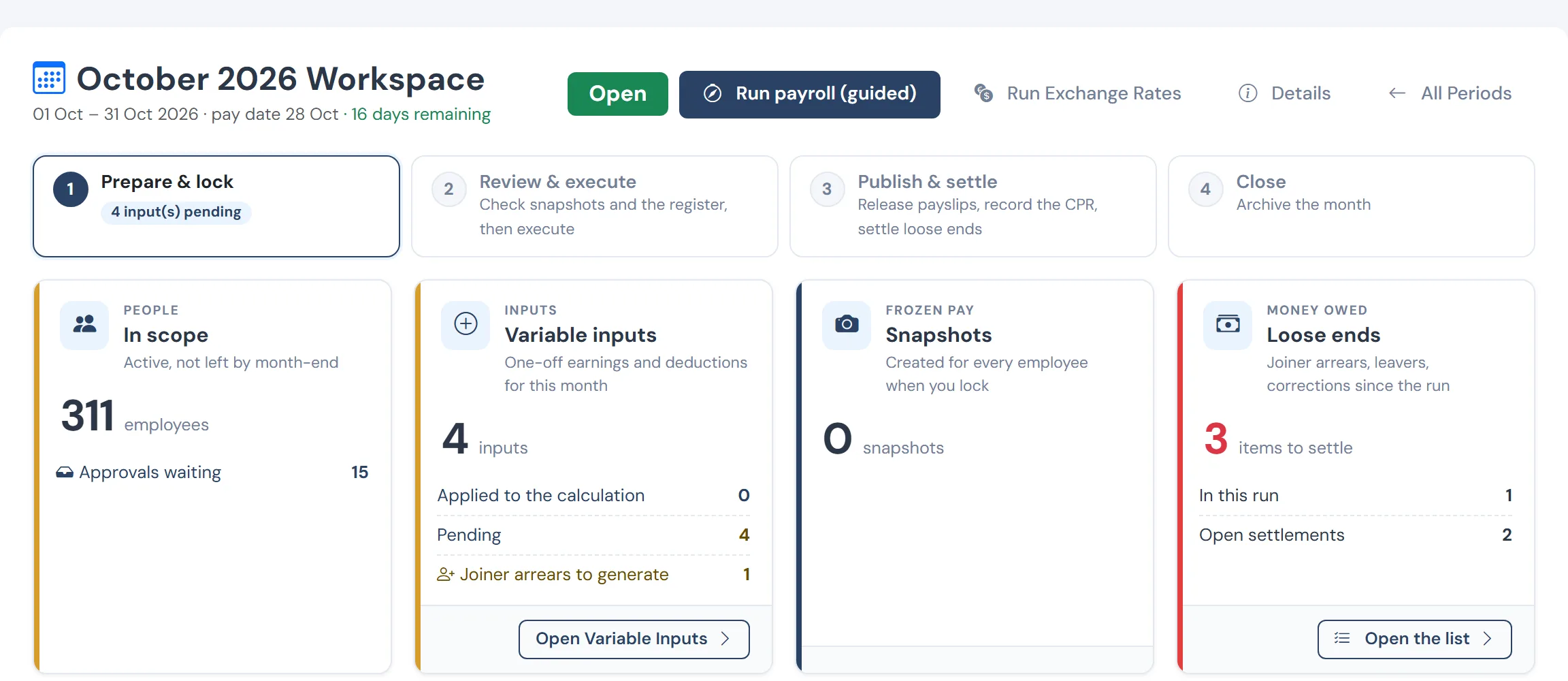
Payroll is the job of getting many small facts right by a deadline. WageVerge computes the month from recorded facts, tells you what would break it, and shows the working behind every figure so you can answer questions in a sentence.
Sound familiar?
- Overtime, bonuses and recoveries arrive in different files at different times.
- You recompute tax by hand to check the tool, which defeats the point of the tool.
- Loan instalments and fund contributions are posted by someone remembering to.
- Every month ends in the same two late nights.
How WageVerge helps
Inputs with an owner and a cutoff
One-off earnings and deductions are entered for the period they belong to, with an approval path, instead of arriving as spreadsheets.
Payroll & income tax →Tax by rule
Income tax is applied as rules by financial year, cumulatively with a yearly true-up, and each figure has a breakdown you can open.
Payroll & income tax →Loans inside the run
Instalments are scheduled and deducted in the run, and a leaver’s balance is netted in their settlement.
Loans & advances →Payslips and bank file
Branded PDF payslips and the bank file come from the same run, so there is one set of numbers to publish.
Payslips & self-service →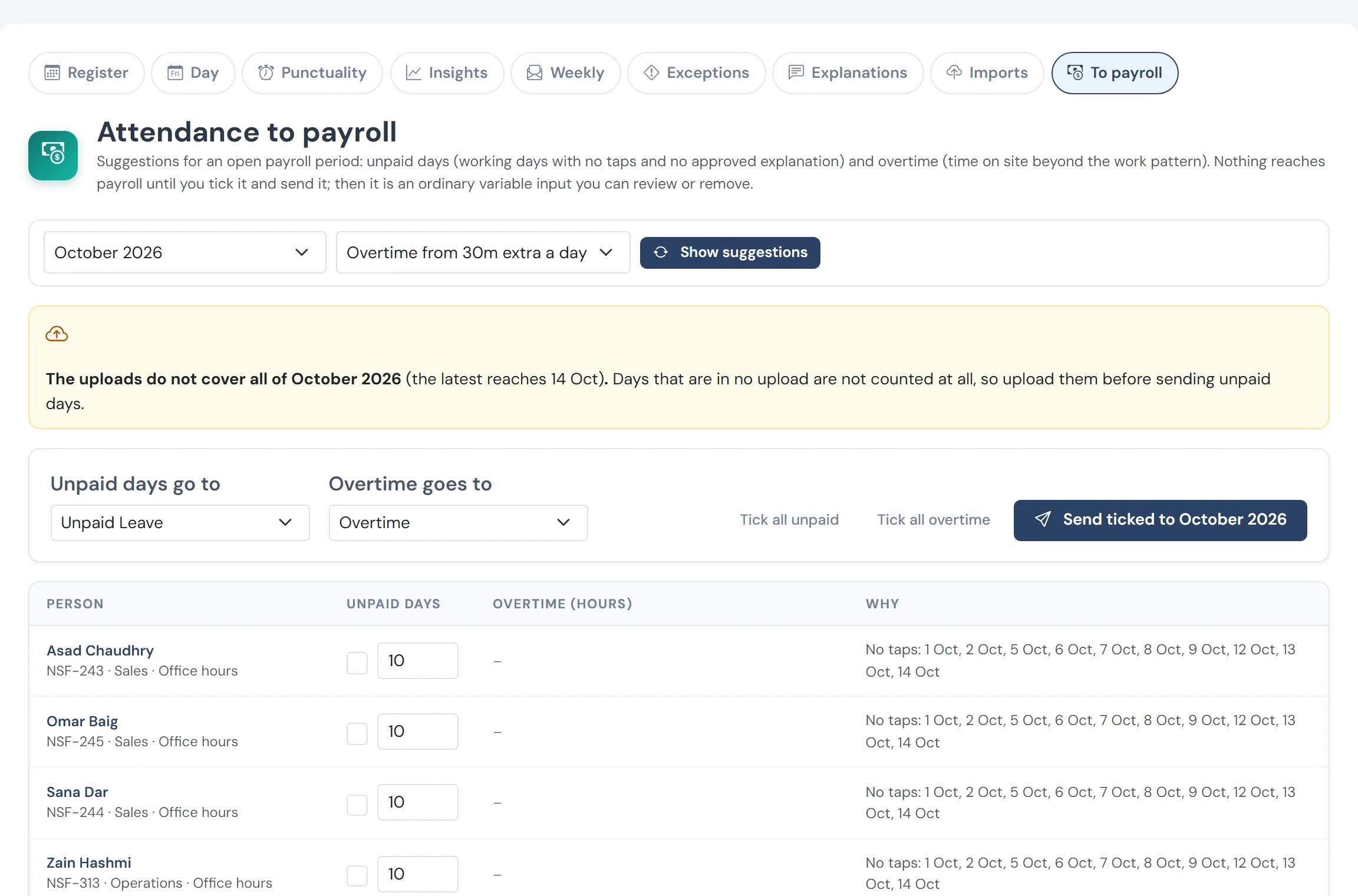
From taps to pay, reviewed first
Overtime hours and unpaid days suggested from the taps for the open month, checked person by person, then sent into payroll as inputs.
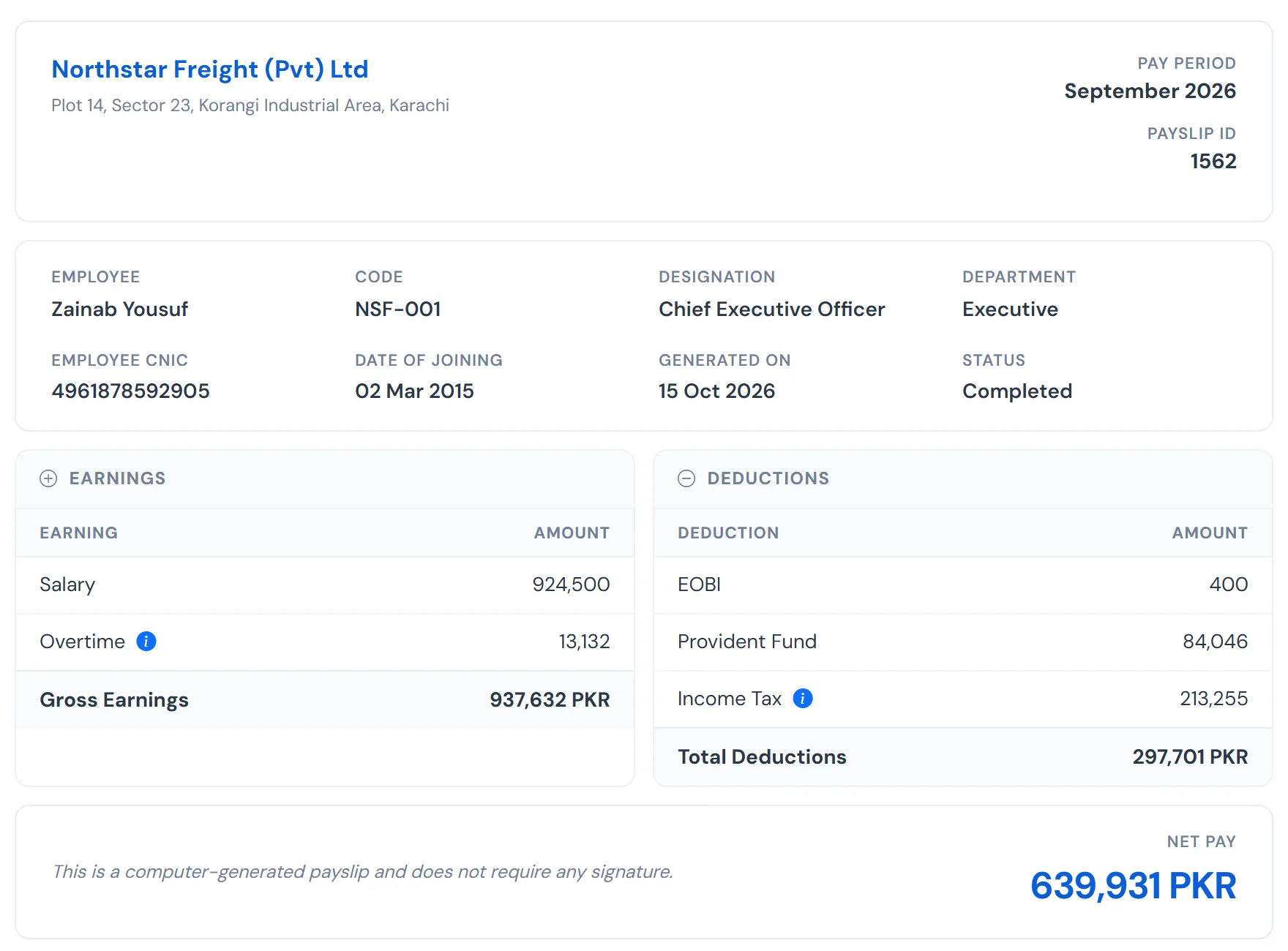
A payslip that explains itself
Salary, provident fund, EOBI and income tax, the net at the bottom and the tax breakdown one click away. Employees read it without calling HR.
Questions
Can we bring in past payroll?
Yes. Historical monthly payroll can be imported as facts, so prior-year tax and fund positions are right from the first run.
What if a late change arrives after the lock?
A locked month is not edited. The difference is paid or recovered in a separate run, and the original stays as it was.
See WageVerge run your payroll.
Tell us about your business and we will walk you through it, mapped to your pay components, your policies and the modules that matter to you.