Payroll that gets the tax right and shows its working
Set pay once, run the month in one place, and let the Pakistan tax rules do the arithmetic: annual slabs, the medical exemption, one-off income at the right marginal rate, and a yearly true-up so December never surprises anyone.
In every plan
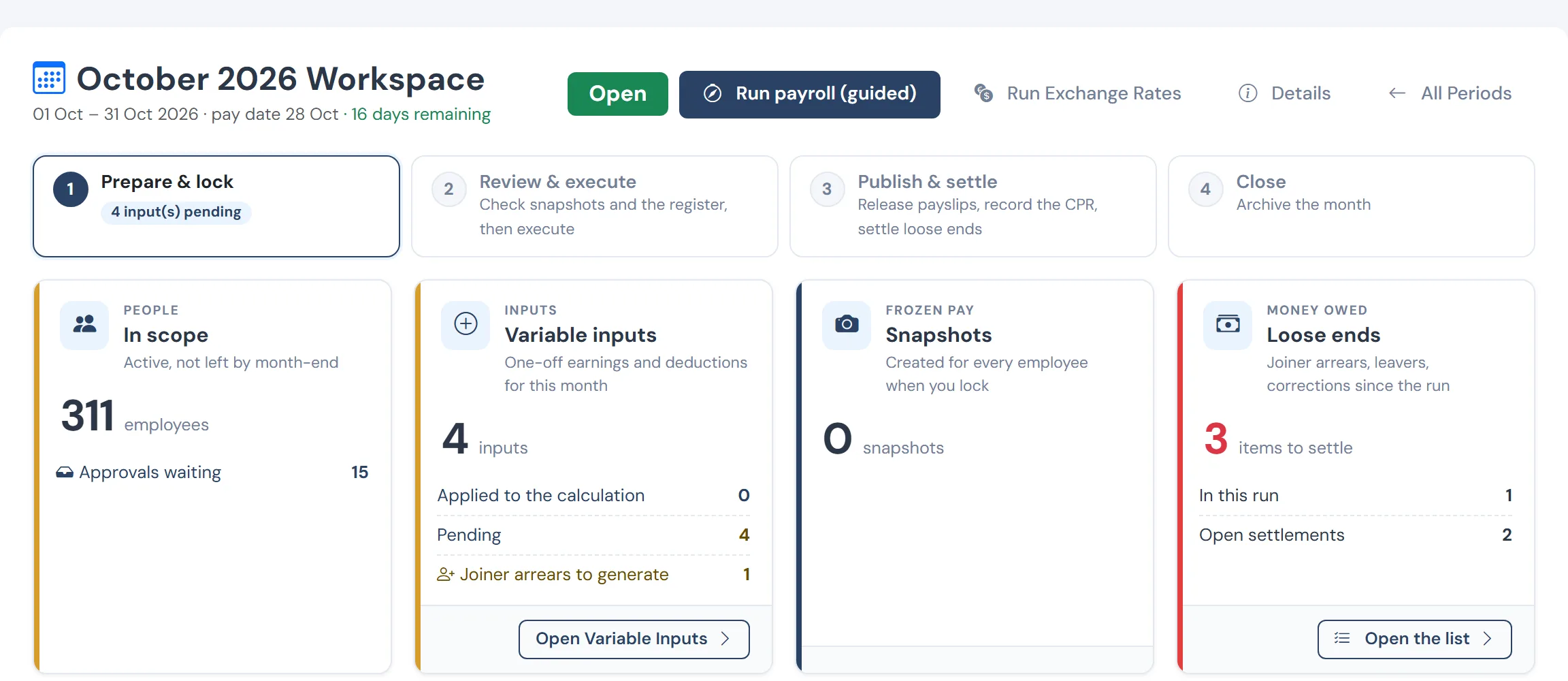
The problems it removes
- Spreadsheets that break when a slab changes or a formula is overwritten
- Tax that looks right each month and is wrong by year end
- No way to show an auditor, or an employee, how a figure was reached
- A paid month that needs correcting without paying a second salary
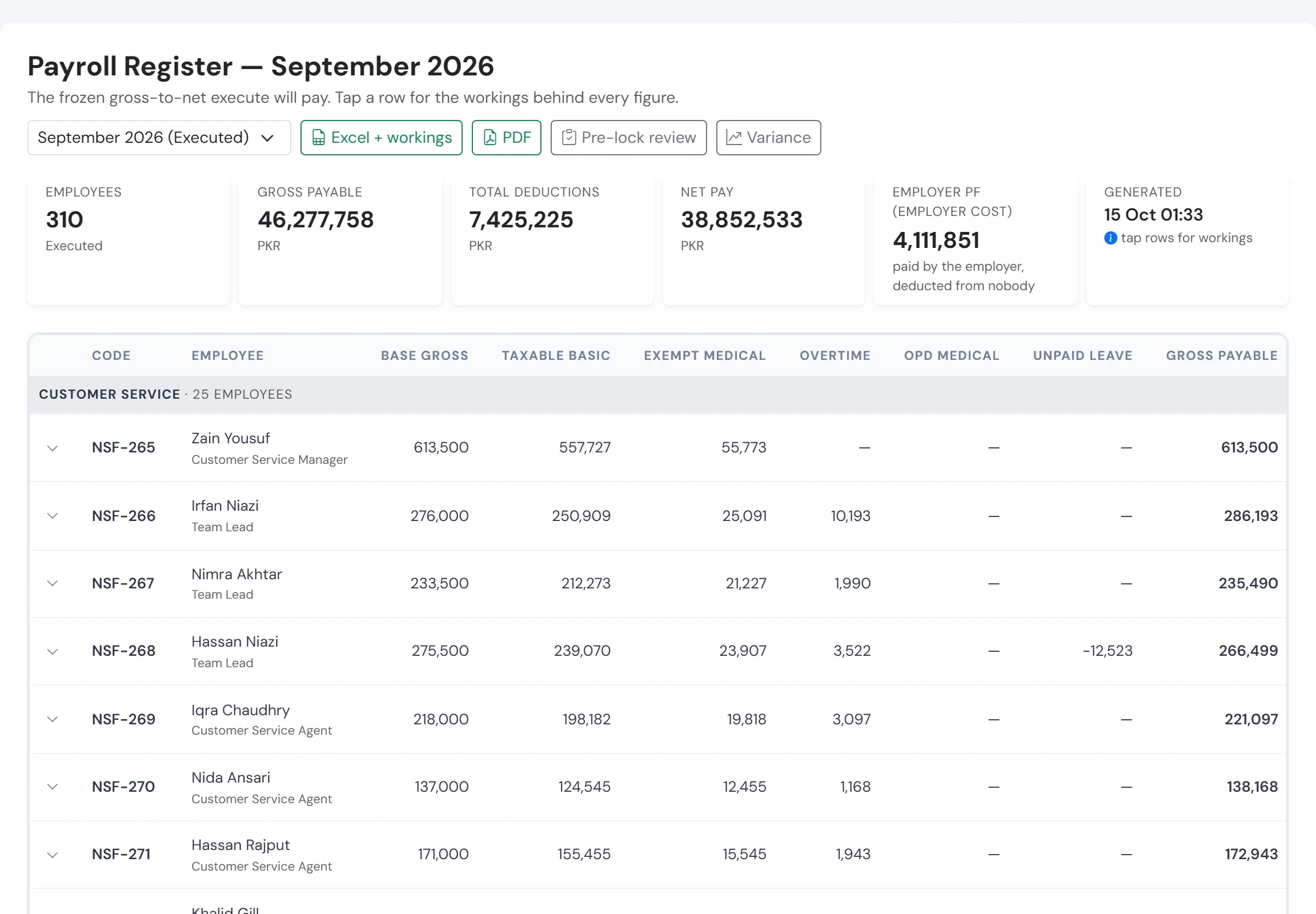
One register, every figure traceable
After the lock, the register shows each person’s gross, tax, deductions and net from the frozen snapshot. Nothing on it is typed; every number opens to its working.
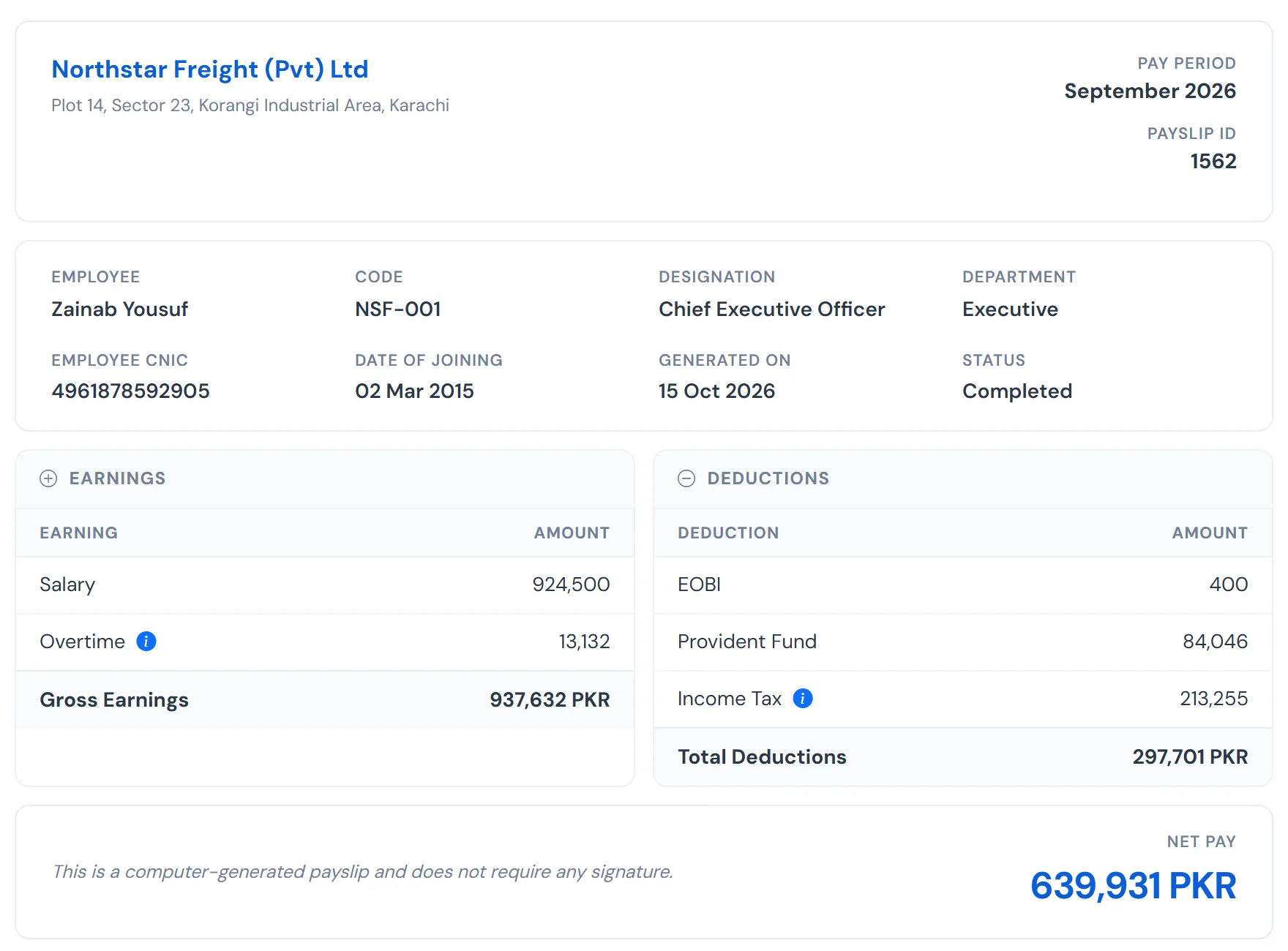
A payslip that explains itself
Salary, provident fund, EOBI and income tax, the net at the bottom and the tax breakdown one click away. Employees read it without calling HR.
How it works
Set pay with effective dates
Compensation templates and salary revisions carry the date they take effect. Months already closed are never rewritten; a revision that lands after a paid month produces arrears, not an edit to history.
Enter the month’s one-off items
Overtime, bonuses, deductions and recoveries go in as variable inputs for the period. Each is priced when it is entered and frozen, so a later change in salary does not silently move it.
Review before you lock
A review of every input and change about to reach the payroll, with what would break the run (no bank details, no salary on record) listed first. Lock only when it is clean.
Sign off a register
After the lock, a gross-to-net register over the frozen copy, with departmental subtotals and the working behind any row. Export to Excel or PDF with a sign-off block, so approval is a record, not a verbal yes.
Pay, publish, correct
Bank-ready payment files, branded payslips, and a supplementary run for corrections: arrears paid, overpayments booked to a recovery register and clawed back next month.
What you get
- Pakistan income tax built in as rules by financial year, not as a spreadsheet you maintain
- Cumulative tax with a yearly true-up, and one-off income taxed at the right marginal rate
- Tax credits for advance tax paid, with the challan and signed declaration required before they reduce withholding
- Historical monthly payroll imported as facts, so prior-year tax and fund positions are right from day one
- Every figure explained: a plain-language tax breakdown walks the slab ladder month by month
Questions
Does WageVerge apply the current Pakistan salary tax slabs?
Yes. The slabs are held as rules by financial year, so when the Finance Act changes them the rules change, not your spreadsheets. The free calculator on this site uses the same published slabs.
Can I correct a month that has already been paid?
Yes. A supplementary run computes only the difference: arrears are paid, an overpayment goes to a recovery register and is taken back on the next payroll. Year-to-date tax stays correct throughout.
Can I bring in last year’s payroll?
Yes. Upload historical monthly payroll, preview it, and commit it as facts. Prior-year tax and provident fund positions are then right from the first run.
What about people paid partly in a foreign currency?
Pay components can be carried in a foreign currency and frozen at the rate locked for that run, so a figure never moves after the fact. This is part of the Enterprise plan.
See WageVerge run your payroll.
Tell us about your business and we will walk you through it, mapped to your pay components, your policies and the modules that matter to you.