Expense claims that follow your policy and pay through payroll
Employees submit claims with receipts attached. Your policy decides the entitlement and when it accrues, approvers see a recommendation, and approved claims are paid through payroll or an off-cycle batch, taxed correctly either way.
Growth and Enterprise plans
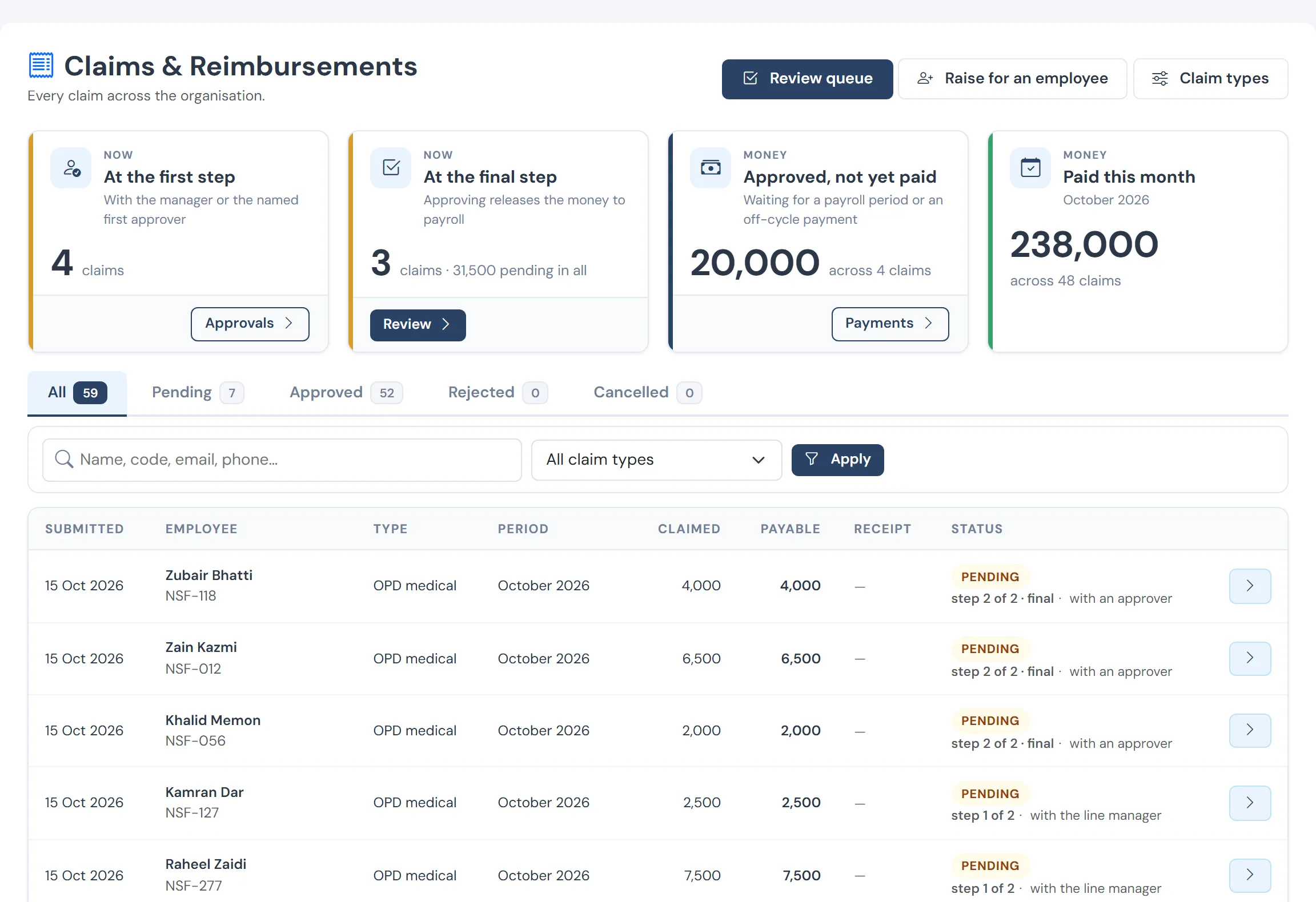
The problems it removes
- Claims in email with receipts in photos
- Entitlements nobody can check
- Approvals with no context
- Reimbursements taxed inconsistently
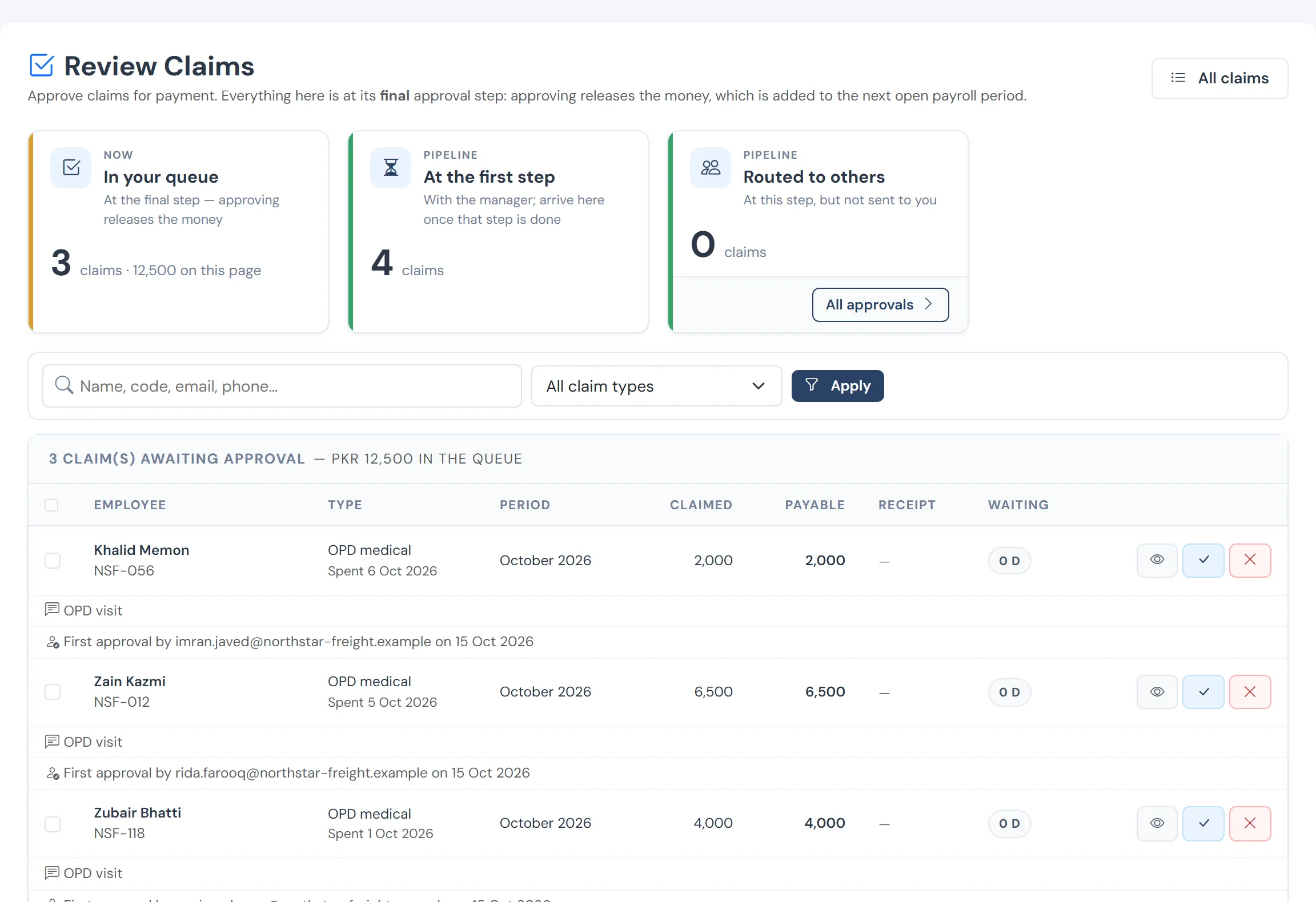
HR’s queue
Claims the line manager has already approved, waiting for the second signature before they post into the open month.
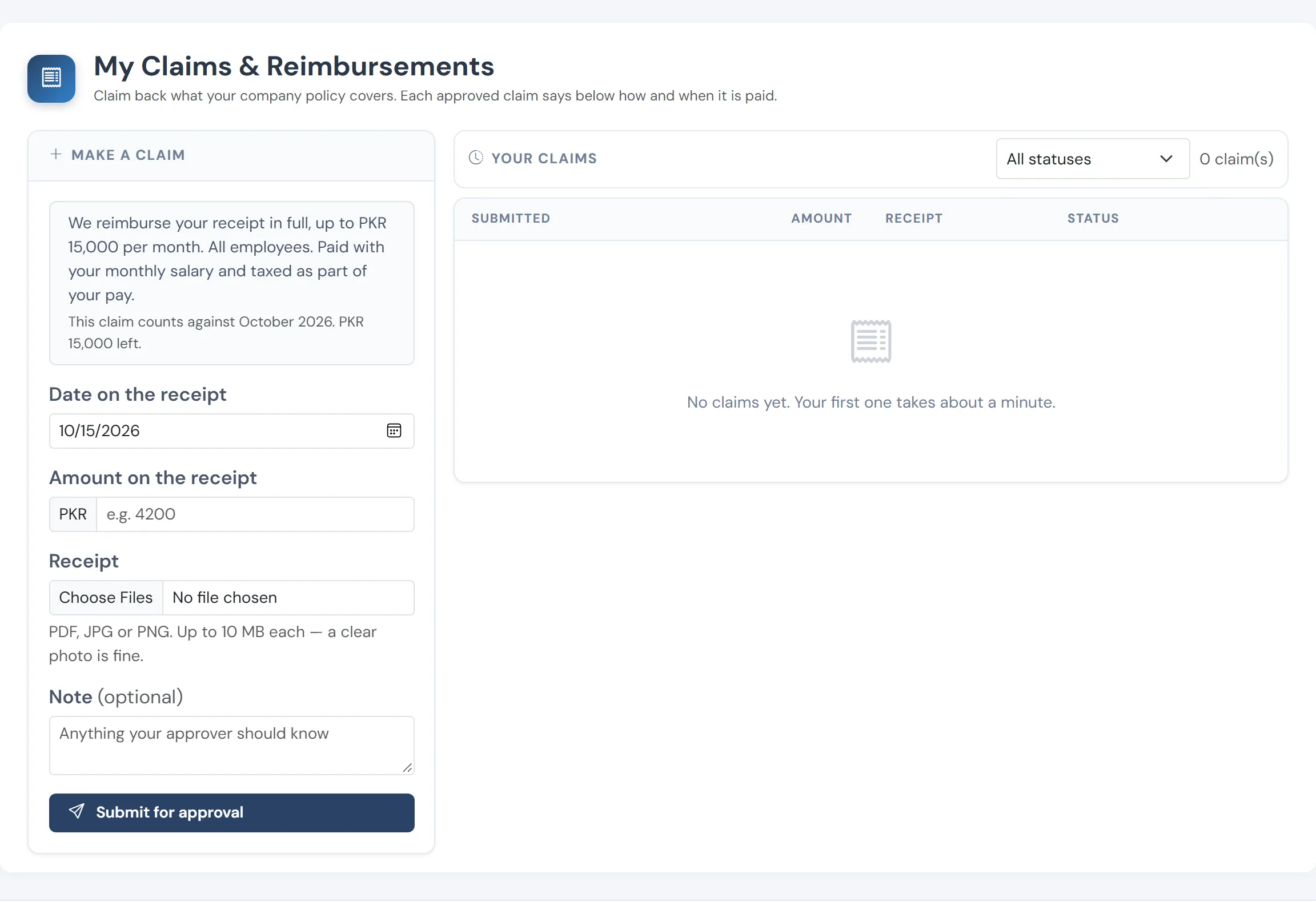
What the employee sees
Their own claims, the amount still available this month under the policy, and the stage each one has reached.
How it works
Claim
The employee picks a category, enters the amount and attaches the receipt, on a phone or a laptop.
Check against policy
The system shows the entitlement and what is left, so the approver is not guessing.
Decide
Approve, adjust the amount, or return the claim with a reason. Every decision is logged.
Pay
Through the next payroll or an off-cycle batch. How a claim is paid decides how it is taxed.
What you get
- Policy-driven categories and entitlements
- Receipts attached and kept with the claim
- Approval routed by permission, with a recommendation
- Paid through payroll or an off-cycle batch
Questions
Can a line manager approve their own team’s claims?
Yes. Routing follows the reporting line and permissions, and the approver sees the policy context.
See WageVerge run your payroll.
Tell us about your business and we will walk you through it, mapped to your pay components, your policies and the modules that matter to you.