Attendance you can read in a minute and trust at month end
Bring in punches from your time-clock export, set what each team is expected to work, and see who was late, who left early, and who came up short, with an explanation workflow for the exceptions.
Switch it on when your workspace needs it
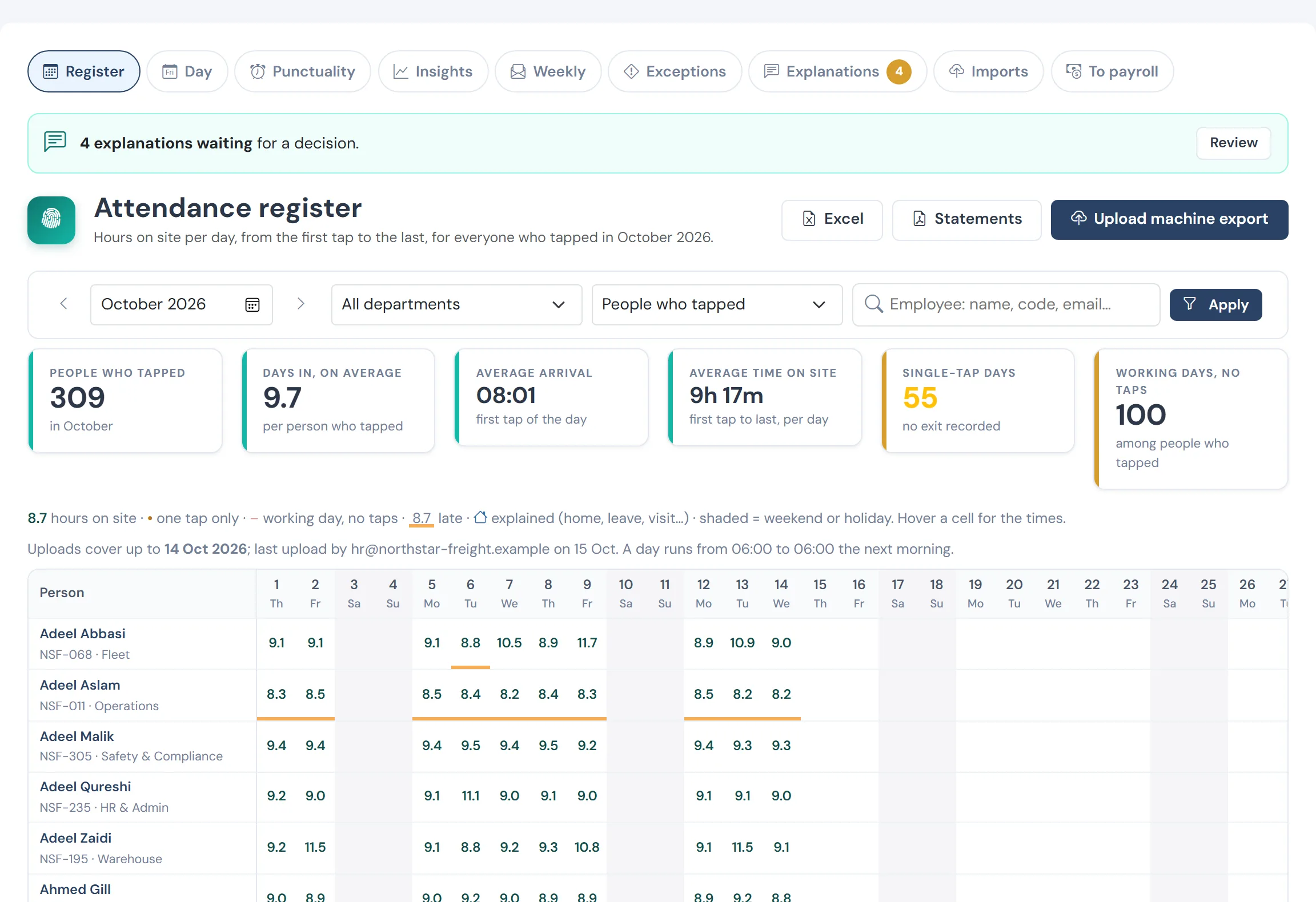
The problems it removes
- Time-clock exports nobody has time to read
- Late and short days argued from memory
- Managers who cannot see their own team
- Attendance that never reaches payroll cleanly
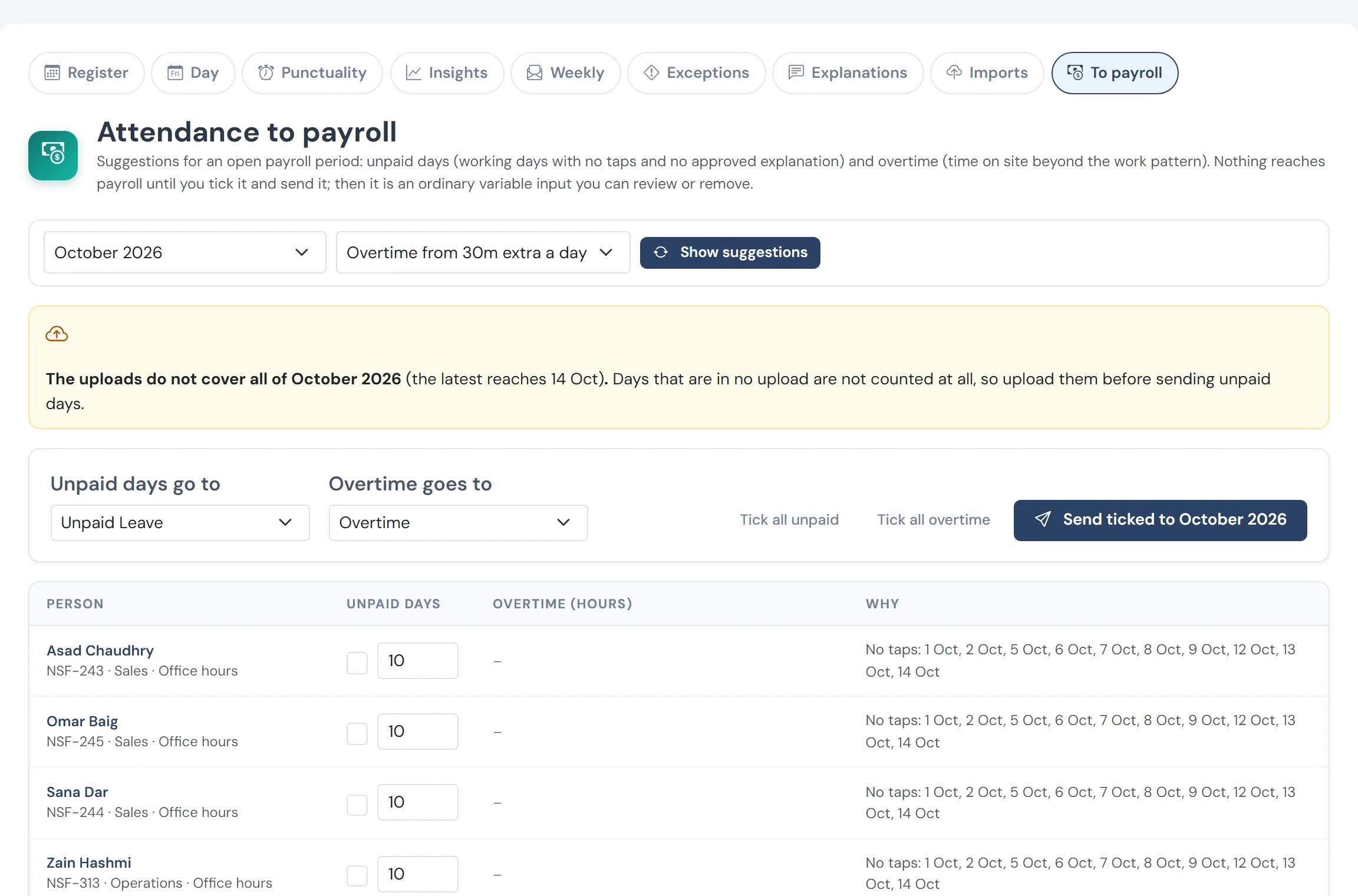
From taps to pay, reviewed first
Overtime hours and unpaid days suggested from the taps for the open month, checked person by person, then sent into payroll as inputs.
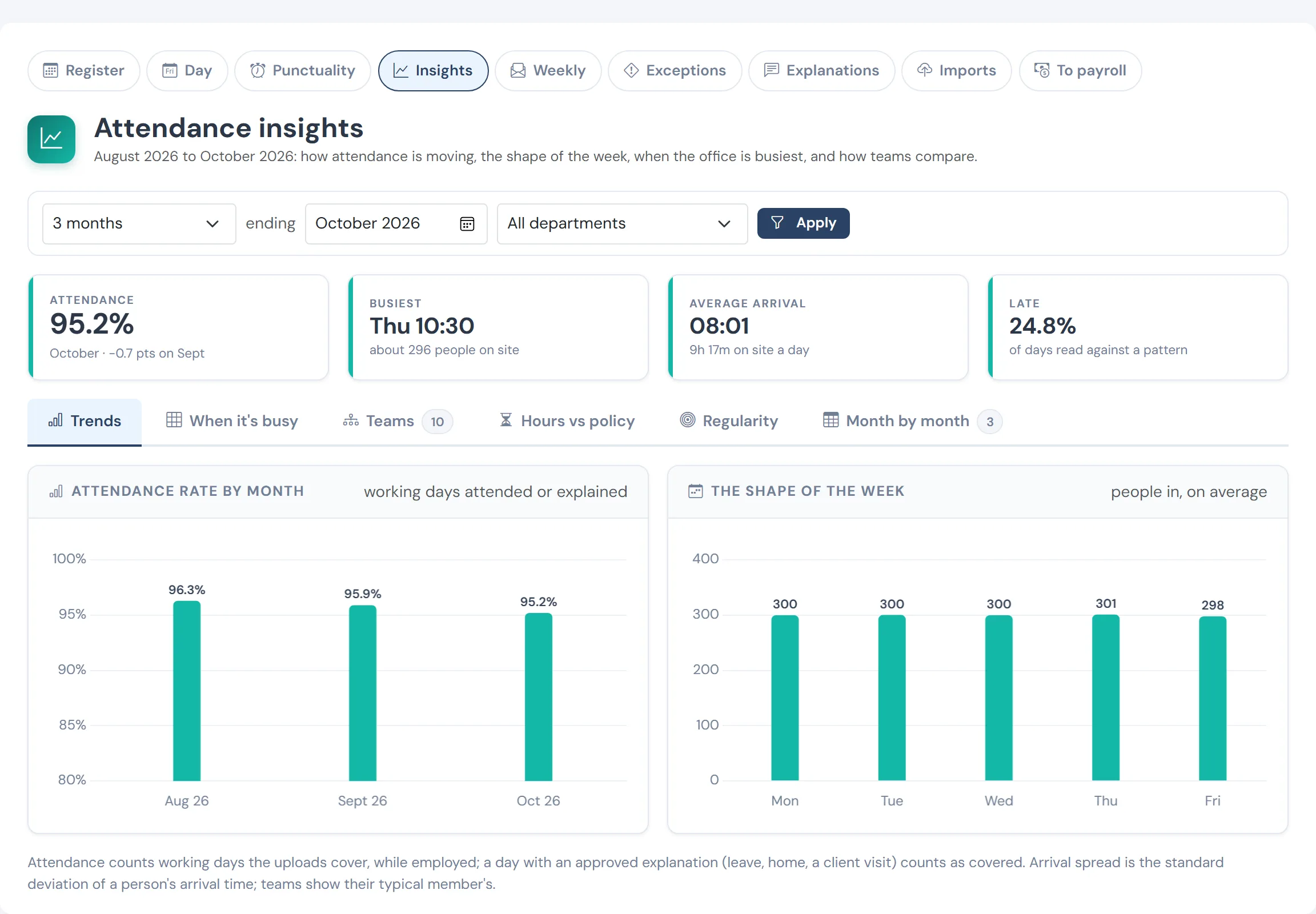
Patterns by team over three months
Average arrival, hours on site and punctuality by department, so a conversation with a team starts from evidence.
How it works
Import
Upload the time-clock export, preview what it contains, and commit it. Nothing is written until you confirm.
Set the pattern
Give each team a fixed or flexible work pattern, with grace and a minimum time on site. Rotational teams are read against working hours.
Read the month
A monthly register, a day view, punctuality and exceptions, with a person’s own month one click away.
Collect explanations
Employees explain an exception; the reviewer decides. Line managers see their own team through the reporting line.
Suggest to payroll
For an open period, unpaid days and overtime are suggested to payroll, and a person with payroll permission reviews and accepts them.
What you get
- Fixed and flexible work patterns per team, with grace and minimums
- Late, left early, short day, and exception views
- Employee explanations and reviewer decisions
- Team scope for line managers through the reporting line
Questions
Does it connect to my time clock?
Attendance comes in from your time-clock export file, with a preview before anything is saved. Tell us which device or system you use and we will confirm the format.
Can managers see only their own team?
Yes. Line managers see the people who report to them, and nobody sees pay figures through attendance.
See WageVerge run your payroll.
Tell us about your business and we will walk you through it, mapped to your pay components, your policies and the modules that matter to you.