An org chart that is the reporting line, not a drawing
See who reports to whom across the whole workspace, open it around your own team, and let the people with permission rearrange it with a preview of what each move changes. Because the chart is the reporting line, approvals and team views follow it.
Switch it on when your workspace needs it
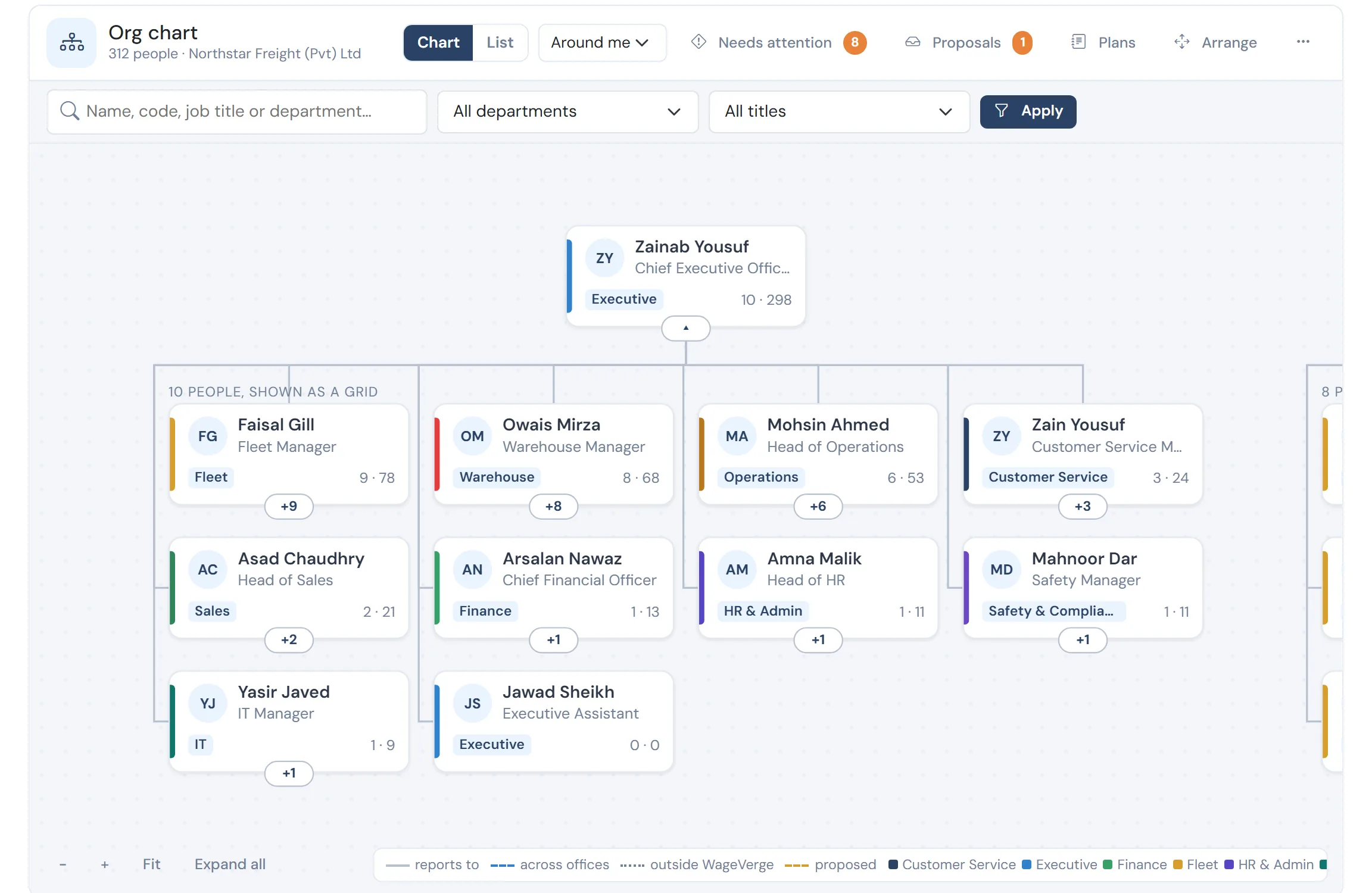
The problems it removes
- An org chart in a slide that is out of date the week it is drawn
- A manager change that leaves approvals stuck with the wrong person
- No way to see the impact of a reorganisation before making it
- Several offices with no shared picture
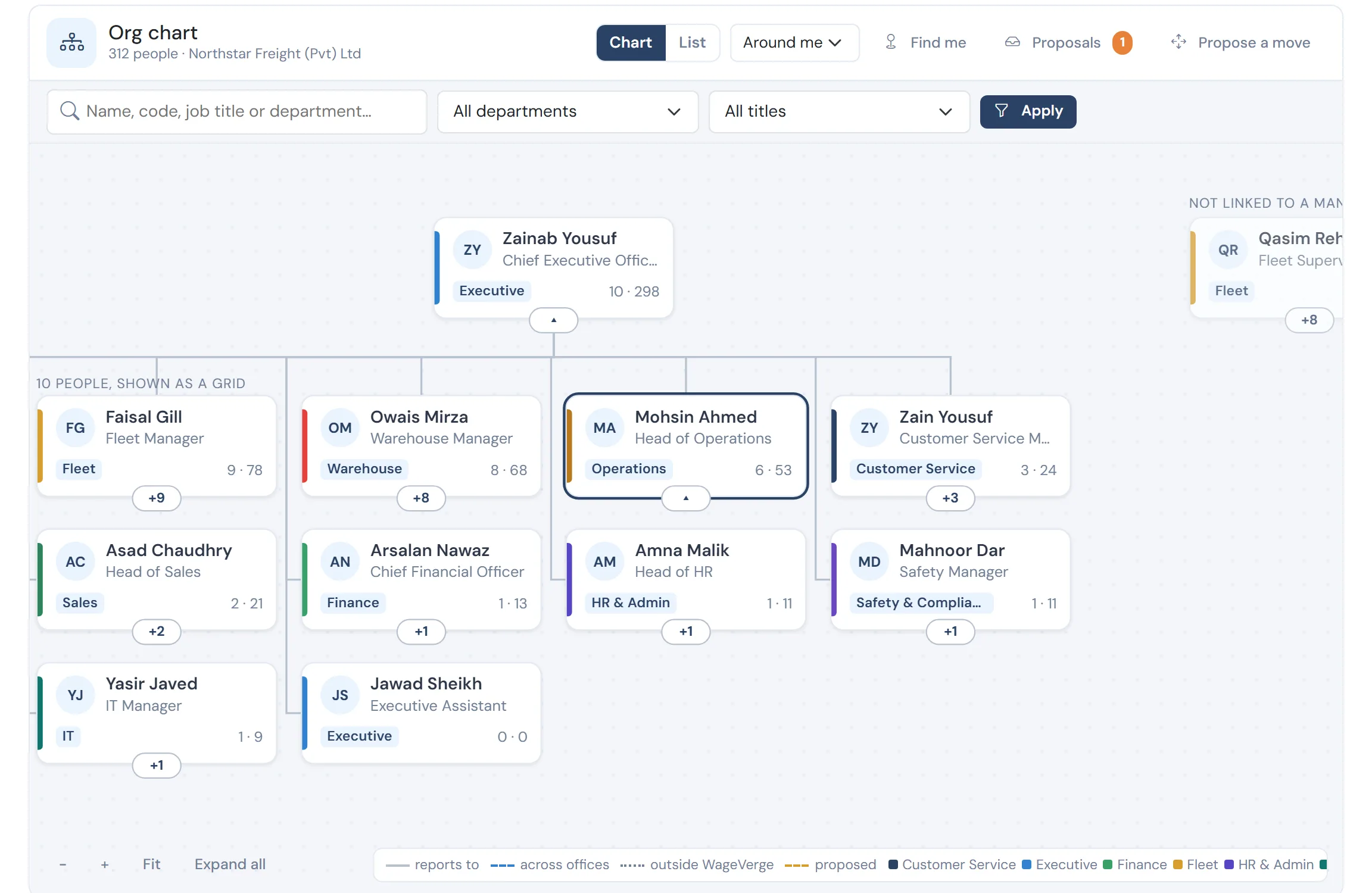
For a manager, it opens around them
Their manager, their peers and their team, with a proposed move drawn as a dashed line until it is approved.
How it works
Open around you
The chart opens on your own chain and team, with everything else collapsed, so a company of hundreds is not a wall of boxes.
Move with a preview
HR rearranges by dragging, and a preview shows who moves along and which waiting approvals would change hands.
Propose, plan, approve
Line managers propose a change for their own team, HR can build a plan of several moves, and each goes through approval.
Show it to the right people
You choose who sees the chart: everyone, managers and HR, or HR only. Pay never appears on it.
What you get
- The same filters as every list: search, department and title, with chips
- Cross-office reporting lines, with other offices shown as placeholders unless opened to you
- Reporting lines imported from a spreadsheet, with a preview of every row
- Optional photos that each person controls
Questions
Does changing a manager move waiting approvals?
By default, yes: waiting approvals follow the person to the new manager, and the preview says exactly which ones.
Can I limit who sees the chart?
Yes. Choose everyone, managers and HR, or HR only. Pay figures are never on the chart.
See WageVerge run your payroll.
Tell us about your business and we will walk you through it, mapped to your pay components, your policies and the modules that matter to you.