Managers see their team. Not their team’s pay.
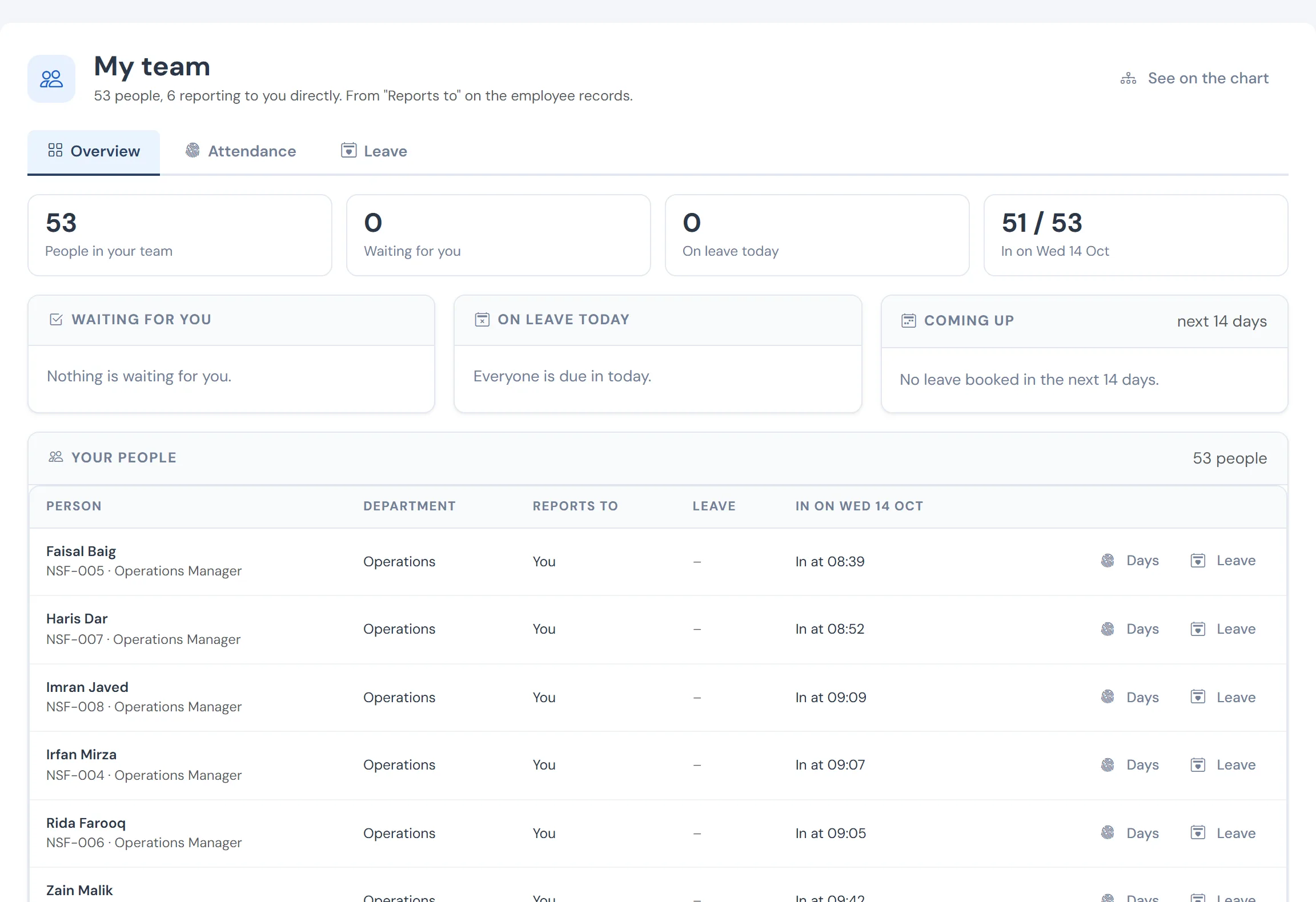
Managers are asked to approve overtime, leave and explanations, and then blamed when payroll is late. WageVerge gives them one page for their own team, scoped by the reporting line, without opening the payroll to them.
Sound familiar?
- Managers email HR for leave balances and who is in tomorrow.
- Approvals sit in inboxes and the month closes without them.
- Giving managers access means showing them salaries.
- The reporting line in the system is out of date, so the wrong person approves.
How WageVerge helps
One page for the team
A manager sees their own team, with attendance, leave and the requests that need a decision.
Attendance →Approvals in one inbox
Leave, explanations and requests arrive in one place, with a record of who decided and when.
Approvals & audit →Leave and calendar
Balances and a team calendar for the manager’s own people, driven by the leave policy.
Leave →Reporting lines kept current
The org chart and the approval routes use the same lines, and moves can be previewed before they apply.
Org chart →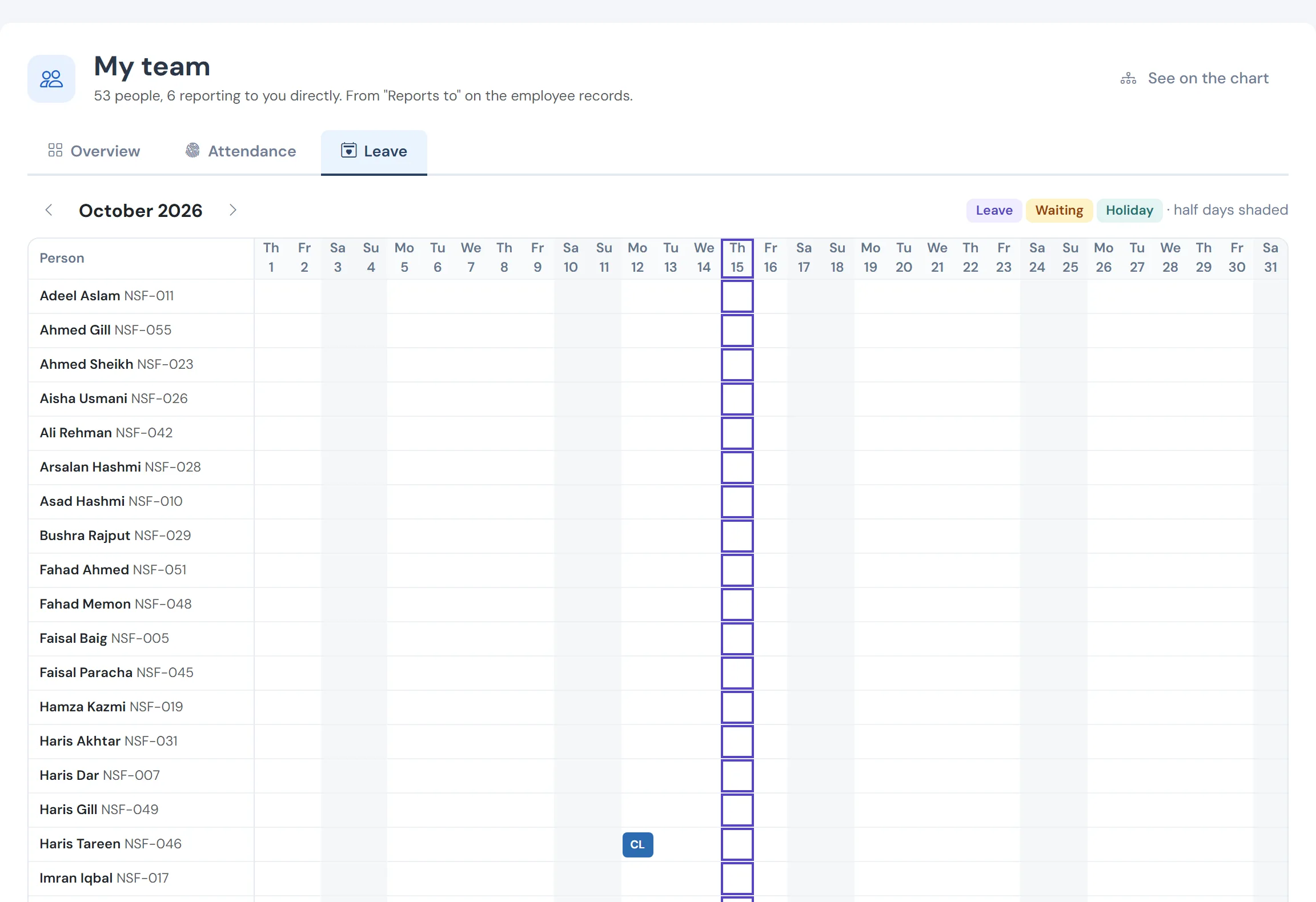
The team’s leave
Requests waiting, balances and the calendar for the manager’s own people.
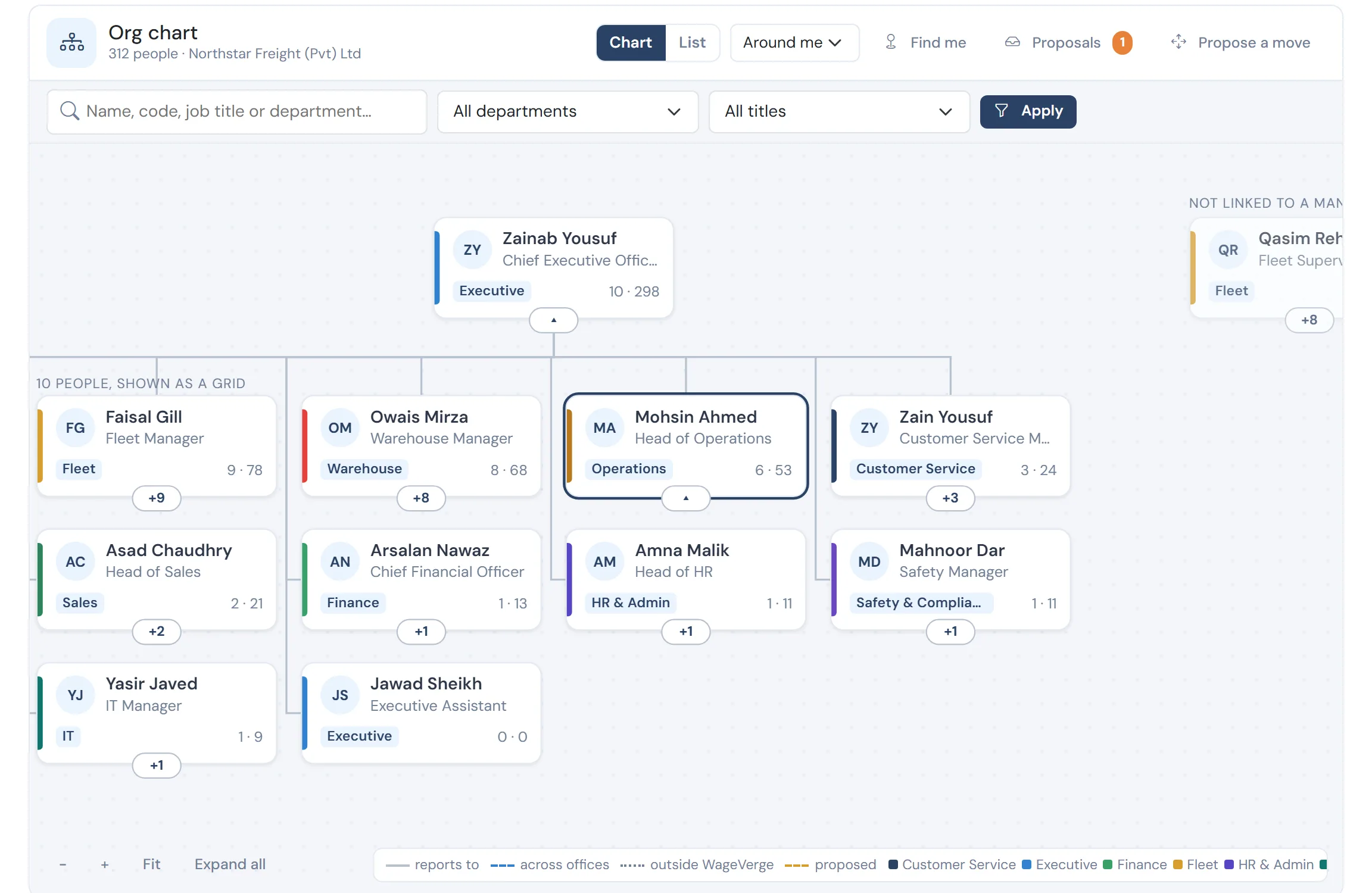
For a manager, it opens around them
Their manager, their peers and their team, with a proposed move drawn as a dashed line until it is approved.
Questions
Can a manager see salaries?
No. Team scope comes from the reporting line, not from a payroll role. Pay and bank details need separate permissions that a manager does not receive by default.
What happens to waiting requests when someone moves?
When a reporting line changes, requests waiting on the old manager are rerouted to the new one, so nothing is left stranded.
See WageVerge run your payroll.
Tell us about your business and we will walk you through it, mapped to your pay components, your policies and the modules that matter to you.